OctoTrip Rental Cars
OctoTrip Rental Cars MCP Server Free, no-login MCP server for discovering and comparing rental cars with real-time pricing from multiple providers worldwide.
Что умеет
- Search: Searches live rental-car offers for a pickup location and rental period, optionally with a different dropoff location, pickup/dropoff times, driver age, currency, and language. Use this when t
Какие данные видит
Нужен ли аккаунт
Не нужен: сервер работает без входа
OctoTrip Rental Cars MCP Server
Free, no-login MCP server for discovering and comparing rental cars with real-time pricing from multiple providers worldwide.
MCP Streamable HTTP Endpoint:
https://mcp.octotrip.app/rental-cars/mcp
Related
- OctoTrip Flights — flight search MCP server
Affiliate Disclosure
OctoTrip is free to use. Booking links contain affiliate attribution -- OctoTrip may earn a commission at no extra cost to you. Search results are ranked by price within each car category, not by affiliate payout.
Quick Start
Add to your MCP client configuration:
{
  "mcpServers": {
    "octotrip-rental-cars": {
      "url": "https://mcp.octotrip.app/rental-cars/mcp"
    }
  }
}
No API key or login required.
Use with...
Claude Desktop
Add to claude_desktop_config.json:
{
  "mcpServers": {
    "octotrip-rental-cars": {
      "url": "https://mcp.octotrip.app/rental-cars/mcp"
    }
  }
}
Cursor / Windsurf
Add to your MCP settings:
{
  "mcpServers": {
    "octotrip-rental-cars": {
      "url": "https://mcp.octotrip.app/rental-cars/mcp"
    }
  }
}
Cline
Add to your Cline MCP settings:
{
  "mcpServers": {
    "octotrip-rental-cars": {
      "url": "https://mcp.octotrip.app/rental-cars/mcp"
    }
  }
}
LobeHub
OpenClaw
openclaw plugins install clawhub:@xltnapps/octotrip-rental-cars
Smithery
Install via Smithery:
npx -y @smithery/cli install xltnapps/octotrip-rental-cars --client claude
Hermes Agent
hermes mcp add octotrip-rental-cars --url https://mcp.octotrip.app/rental-cars/mcp
hermes mcp test octotrip-rental-cars
Or add to ~/.hermes/config.yaml:
mcp_servers:
  octotrip_rental_cars:
    url: "https://mcp.octotrip.app/rental-cars/mcp"
Stdio-only clients
For MCP clients that only support stdio transport:
npx mcp-remote https://mcp.octotrip.app/rental-cars/mcp
curl / Protocol Example
A complete MCP session using curl (initialize, list tools, call search):
# 1. Initialize
curl -s -X POST https://mcp.octotrip.app/rental-cars/mcp \
  -H "Content-Type: application/json" \
  -H "Accept: application/json, text/event-stream" \
  -d '{
    "jsonrpc": "2.0", "id": 1, "method": "initialize",
    "params": {
      "protocolVersion": "2025-03-26",
      "capabilities": {},
      "clientInfo": {"name": "example", "version": "1.0"}
    }
  }'

# 2. List tools
curl -s -X POST https://mcp.octotrip.app/rental-cars/mcp \
  -H "Content-Type: application/json" \
  -H "Accept: application/json, text/event-stream" \
  -d '{"jsonrpc": "2.0", "id": 2, "method": "tools/list"}'

# 3. Search
curl -s -X POST https://mcp.octotrip.app/rental-cars/mcp \
  -H "Content-Type: application/json" \
  -H "Accept: application/json, text/event-stream" \
  -d '{
    "jsonrpc": "2.0", "id": 3, "method": "tools/call",
    "params": {
      "name": "search",
      "arguments": {
        "location": "Munich Airport",
        "pickup_date": "2026-08-01",
        "dropoff_date": "2026-08-07"
      }
    }
  }'
Transport: stateless streamable HTTP. Responses use text/event-stream (SSE). No session persistence or resumability. Rate limit: 1 request/second with burst capacity of 5.
Tool: search
Searches live rental-car offers for a pickup location and rental period. Returns available cars from multiple vendors grouped by category (economy, compact, SUV, etc.), showing the cheapest options in each. The tool queries external provider APIs in real time and may include affiliate booking links. It does not book cars, modify reservations, charge users, or store user data.
Parameters
| Parameter | Type | Required | Default | Description |
|---|---|---|---|---|
location |
string | yes | -- | Pickup location: city, airport, station, address, or landmark |
pickup_date |
string | yes | -- | Pickup date (YYYY-MM-DD, DD.MM.YYYY, or natural-language) |
dropoff_date |
string | yes | -- | Dropoff date, must be after pickup date |
dropoff_location |
string | no | same as pickup | Different dropoff location for one-way rentals |
pickup_time |
string | no | "12:00" |
Pickup time in 24-hour HH:MM format |
dropoff_time |
string | no | "12:00" |
Dropoff time in 24-hour HH:MM format |
currency |
string | no | "EUR" |
ISO 4217 currency code (EUR, USD, GBP, etc.) |
language |
string | no | "en" |
Response language code (en, de, etc.) |
age |
integer | no | 30 |
Driver age, minimum 18 (younger drivers may incur surcharges) |
Response Format
Results are grouped by SIPP car category with the cheapest 2 options per group:
{
  "results": [
    {
      "name": "Volkswagen Golf",
      "vendor": "Europcar",
      "sipp": "CDMR",
      "category": "Compact",
      "price": 181.03,
      "price_per_day": 45.26,
      "pay_now": 181.03,
      "pay_later": 0,
      "currency": "EUR",
      "transmission": "manual",
      "passengers": 5,
      "bags": 1,
      "doors": 4,
      "air_con": true,
      "fuel_policy": "Full to Full",
      "mileage": "Unlimited",
      "free_cancellation": true,
      "free_amendment": true,
      "deposit": 800,
      "excess": 950,
      "included_protections": ["Collision Damage Waiver", "Theft Protection"],
      "image_url": "https://...",
      "booking_url": "https://...",
      "link_type": "affiliate",
      "affiliate_disclosure": "This link contains affiliate attribution. OctoTrip may earn a commission at no extra cost to you."
    }
  ],
  "total": 23,
  "total_available": 379,
  "rental_days": 4,
  "pickup_location_resolved": "Munich International Airport",
  "dropoff_location_resolved": "Munich International Airport",
  "query": { ... }
}
Error Responses
The server returns structured errors with suggestions:
location_not_found-- location could not be resolved. Try a more specific name or airport.invalid_date-- date format not recognized. Use YYYY-MM-DD, DD.MM.YYYY, or similar.no_results-- no cars available for the given criteria. Try different dates or a nearby location.
Example Prompts
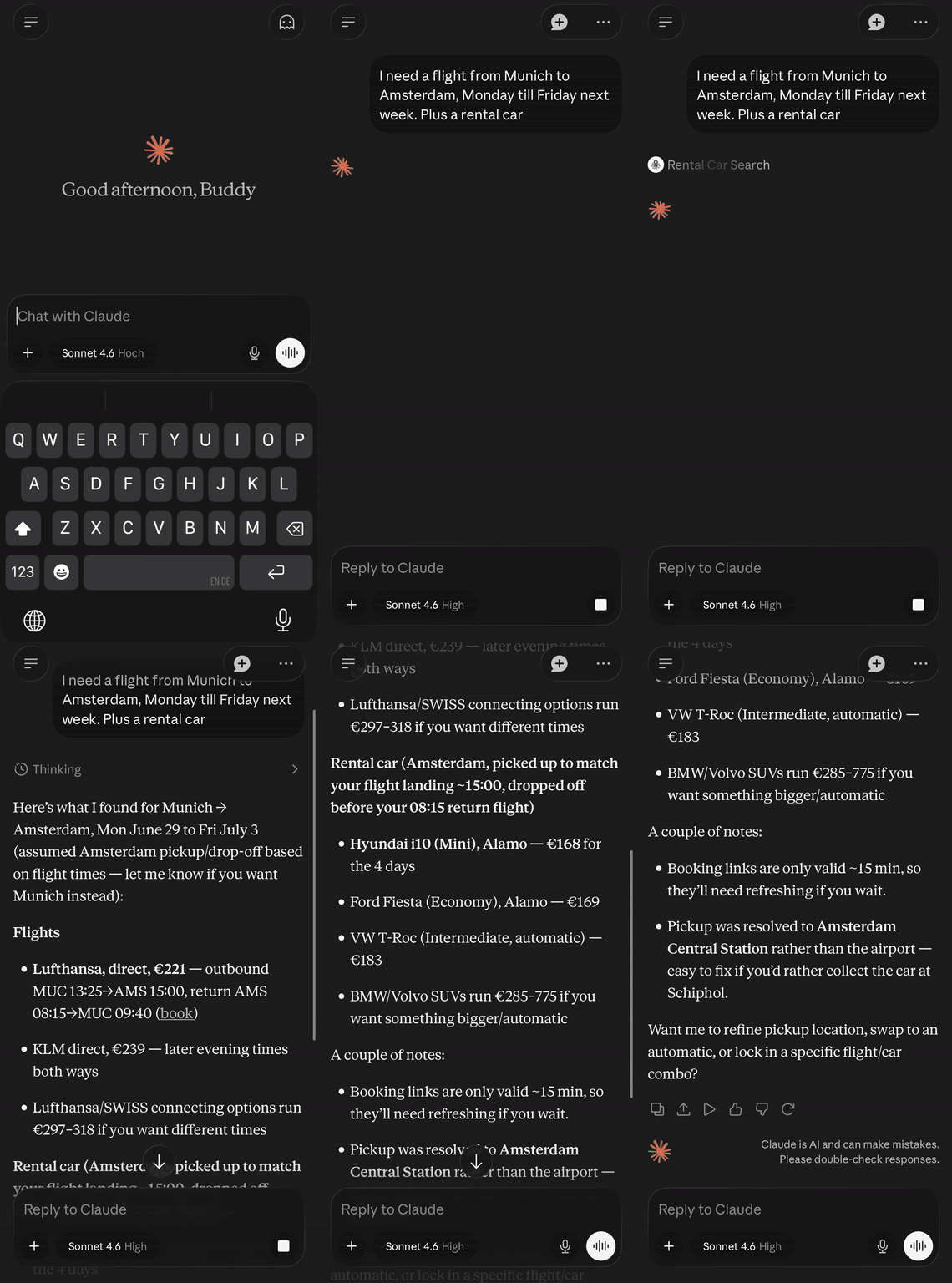
- Find me a cheap rental car at Amsterdam Schiphol for next weekend
- Compare automatic SUVs available in Munich Airport for July 10-15
- I need a car in Barcelona from August 1-14, budget around 30 EUR/day
- One-way rental from Berlin to Hamburg, picking up Friday, returning Monday
- What's the cheapest economy car at London Heathrow for a week in September?
Privacy
This server does not log IP addresses, search queries, or any user-identifiable data. See PRIVACY.md for full details including sample log entries.
Security
To report a vulnerability, see SECURITY.md.
License
MIT
Как подключить
Как подключить OctoTrip Rental Cars к Claude
Адрес сервера, который нужно вставить в настройках Claude:
https://octotrip-rental-cars--xltnapps.run.tools
- Откройте Claude (сайт claude.ai или приложение для компьютера).
- Перейдите в Настройки → Коннекторы (в английском интерфейсе: Settings → Connectors).
- Нажмите Добавить пользовательский коннектор (Add custom connector).
- Вставьте адрес сервера, скопированный ниже, в поле URL удалённого MCP-сервера и нажмите Добавить.
- В чате нажмите + → Коннекторы и включите новый коннектор.
Пользовательские коннекторы доступны на тарифах Free, Pro, Max, Team и Enterprise. На Free можно добавить только один. В Team и Enterprise коннектор сначала добавляет владелец организации в Настройки организации → Коннекторы.
Авторизация
После нажатия Добавить откроется окно входа в сервис. Войдите под своим аккаунтом и подтвердите доступ. Пароль Claude не видит.
Как подключить OctoTrip Rental Cars к ChatGPT
Адрес сервера, который нужно вставить в настройках ChatGPT:
https://octotrip-rental-cars--xltnapps.run.tools
- Откройте ChatGPT в браузере (chatgpt.com). Нужен тариф Plus, Pro, Business, Enterprise или Edu.
- Один раз включите режим разработчика: Настройки → Приложения → Дополнительные настройки → Режим разработчика (Settings → Apps → Advanced settings → Developer mode).
- Откройте Настройки → Коннекторы и нажмите Создать (Create).
- Заполните форму: Название (любое), Описание (одна фраза, что делает сервис), URL MCP-сервера (скопируйте ниже).
- В поле Аутентификация выберите OAuth, если сервис требует вход, иначе Нет. Нажмите Создать.
- В новом чате откройте + → Приложения/Коннекторы и включите коннектор.
Название раздела у OpenAI менялось (Connectors → Apps/Plugins). Если пункт называется иначе, ищите «режим разработчика» в настройках. В рабочих пространствах Business/Enterprise администратор должен разрешить пользовательские коннекторы.
Авторизация
При первом использовании ChatGPT откроет окно входа в сервис. Войдите и подтвердите доступ.
Как подключить OctoTrip Rental Cars к Cursor
Адрес сервера, который нужно вставить в настройках Cursor:
https://octotrip-rental-cars--xltnapps.run.tools
Быстрый способ: нажмите кнопку Открыть в Cursor ниже, Cursor сам предложит добавить сервер.
Вручную:
- В Cursor откройте Settings → Cursor Settings → MCP и нажмите Add new global MCP server.
- Вставьте JSON, скопированный ниже, в открывшийся файл
~/.cursor/mcp.json(для одного проекта:.cursor/mcp.jsonв корне проекта). - Сохраните файл. Сервер появится в списке MCP; при необходимости пройдите авторизацию по кнопке рядом с ним.
Авторизация
Если сервис требует вход, рядом с сервером в списке MCP появится кнопка авторизации.
Список инструментов сервера (1)
Технические названия из tools/list. Нужны только разработчикам.
| search | Searches live rental-car offers for a pickup location and rental period, optionally with a different dropoff location, pickup/dropoff times, driver age, currency, and language. Use this when the user wants to compare available rental cars, prices, vendors, categories, or booking links for a specific trip. Do not use it for flights, hotels, public transport, or general travel planning unless the user has car-rental intent. The tool queries external provider APIs in real time, returns price-ranked results grouped by SIPP/category, and may include affiliate booking links. It does not book cars, modify reservations, charge users, or store user data. |